Prosys OPC Blog

Mastering Forge #16: Enabling Role-Based User Management

Welcome to the 16th tutorial on our series Mastering Forge.

In our previous article, Mastering Forge #15, we showed you how to update Forge and Forge’s license.

In this tutorial, we’ll learn about Forge’s role-based user management. We’ll also learn how to connect your Forge to your authentication service, such as LDAP.

If you prefer your tutorials in video format instead, you can watch our tutorial on Forge’s role-based user management on our YouTube channel.

During this tutorial, we’ll be using the following products:

Connect to LDAP

Forge enables integration with authentication services like LDAP, allowing you to leverage existing credentials. This simplifies your architecture by minimizing the need for additional user credential management.

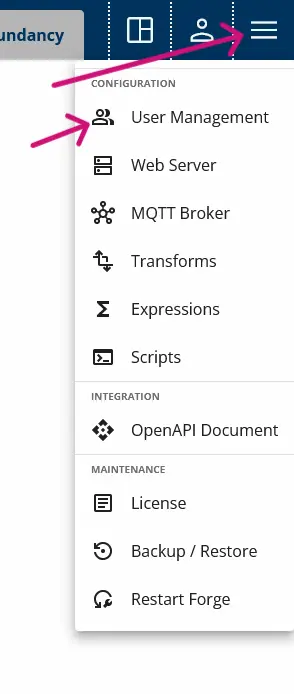
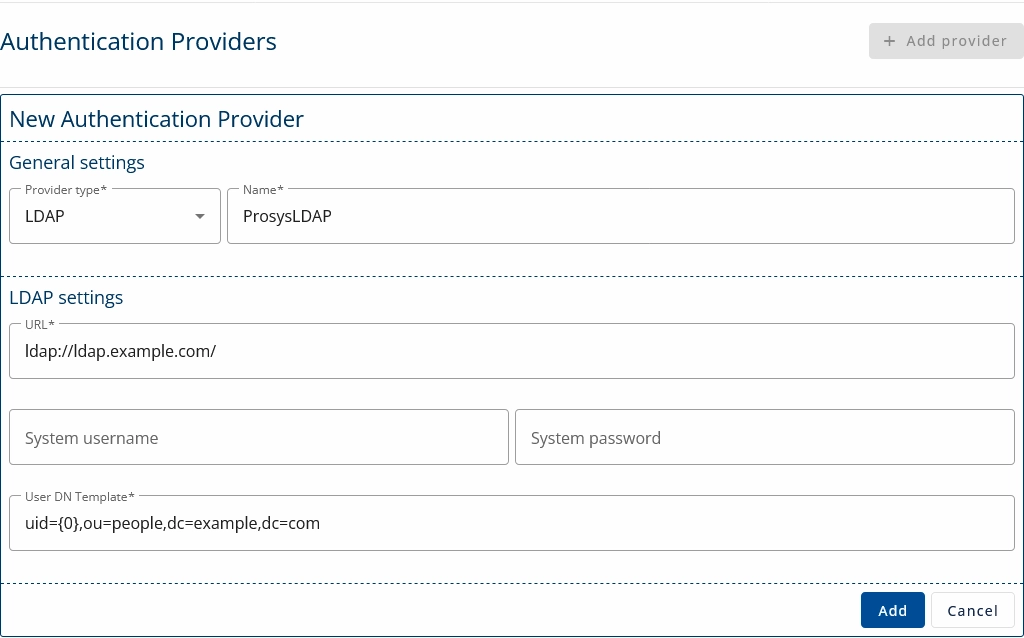
1. Navigate to Advanced Menu > User Management > Providers and click + Add Provider.

2. Enter the details of your authentication provider and click Add.

Enable Role-Based User Management

Create user groups to manage and organize permissions. Assign users to these groups to ensure controlled access to your data. We’ll begin by restricting global permissions to ensure only users with the appropriate roles can access specific functionalities.

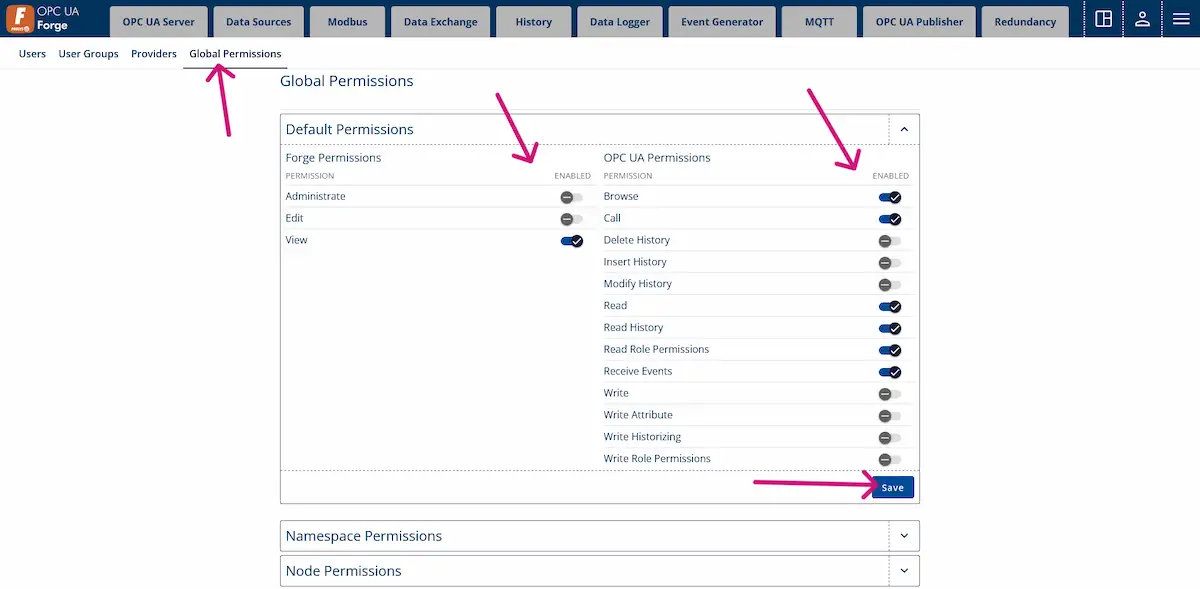
1. Navigate to Advanced Menu > User Management > Global Permissions.

2. Disable the permissions as shown in the figure. 

Global permissions are restricted by disabling some features.

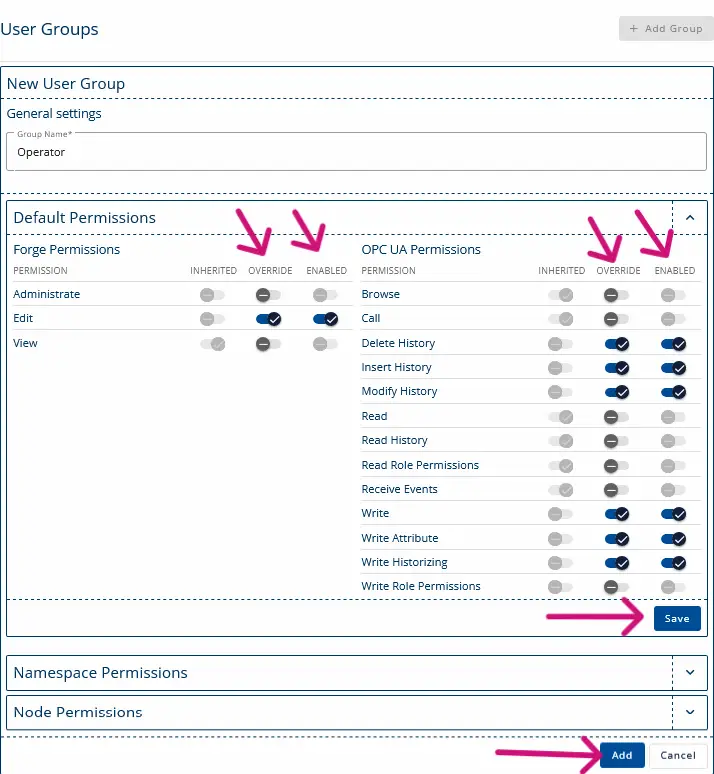
3. Navigate to Advanced Menu > User Management > User Groups and click + Add Group.

4. Name the group “Operator” and enable the permissions shown in the following image. 

Operator group is created and global permissions are overwritten to enable more features for this group.

5. Next, we’ll create a user for the Operators group. Navigate to Advanced Menu > User Management > Users and click + Add User.

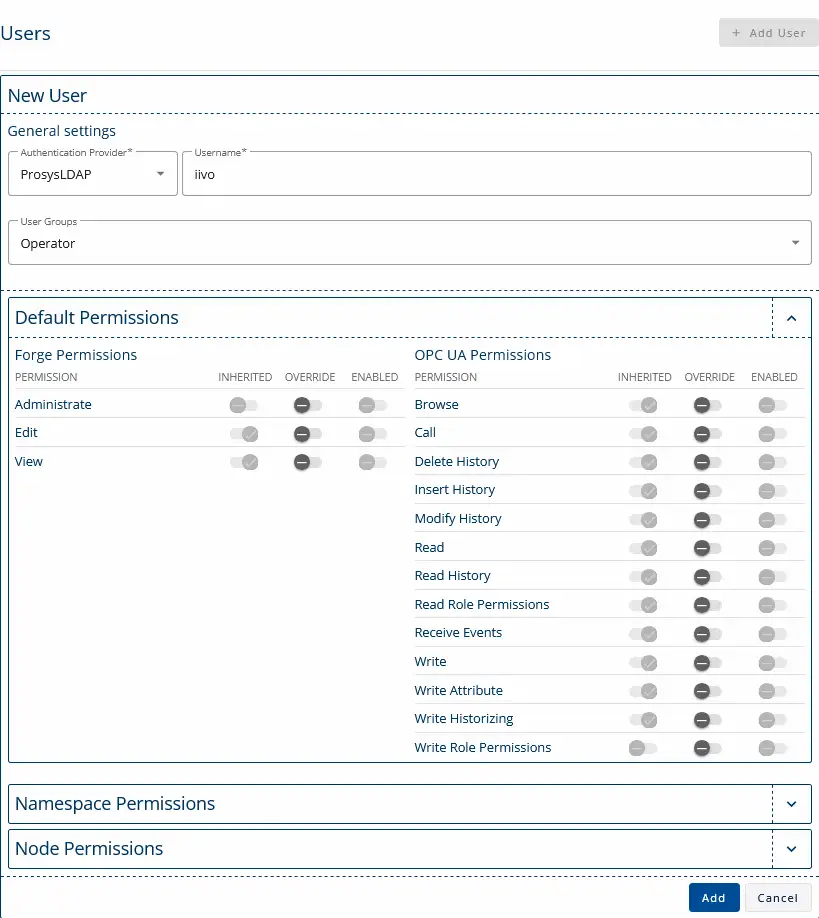
6. Select the group and enter the username of the LDAP user you wish to add. The user’s permissions will be inherited from the group’s assigned permissions.

Ldap user is created to group Operators.

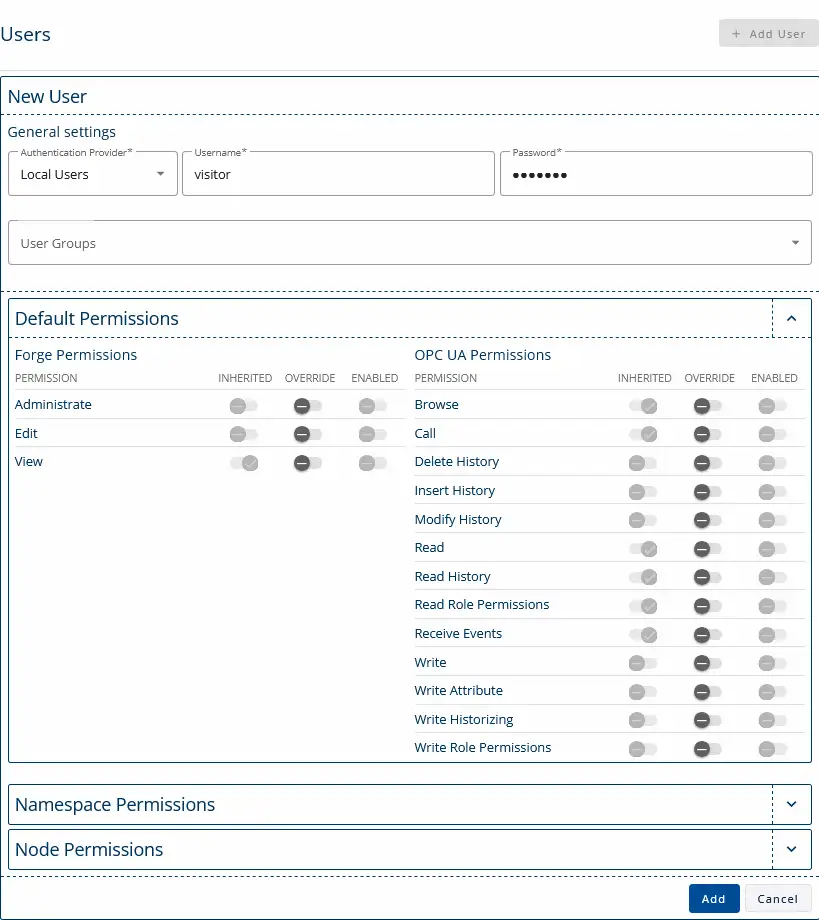
7. You can also create a Local User by specifying a username and password. If the user is not assigned to any group, they will automatically inherit the global permissions.

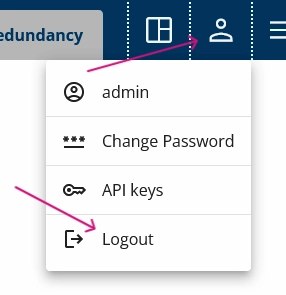
8. You can now log out of Forge and log back in using a different user account.

User settings menu opened and logout button is pointed with a pink arrow.

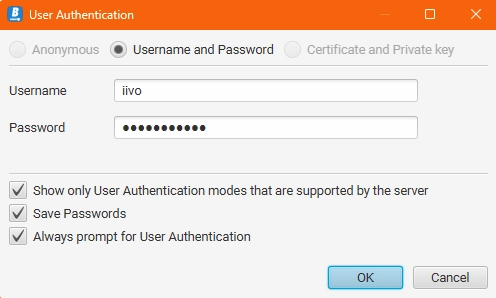
9. These user credentials can also be used to log in with an OPC UA client, such as Prosys OPC UA Browser.

Next Steps

This wraps up the 16th article of the Mastering Forge series. Here’s a recap of what we did in this tutorial:

  1. We connected Forge to LDAP.
  2. We created a User Group to manage permissions.
  3. We set up a user with restricted access.

In the next article Mastering Forge #17, we’ll explore the Event Mapper feature, which allows you to access data from OPC UA events.

If you want to learn more about Forge and its capabilities, you can request a detailed introduction by emailing sales@prosysopc.com or using our contact form. We’d be delighted to provide tailored information about Forge that aligns with your interests and requirements.

A headshot of Iivo Yrjölä

Iivo Yrjölä

Customer Integration & Support, Prosys OPC

Email: iivo.yrjola@prosysopc.com

Related Posts

Rethinking the Traditional Automation Stack with Industrial DataOps

The traditional PLC, Historian, and MES stack no longer meets the needs of modern industrial software. This article explores how an Industrial DataOps layer simplifies system architecture, centralizes data modeling, reduces integration complexity, and creates a scalable foundation for cloud analytics, AI, and future manufacturing applications.

Read More »

Enabling Advanced OPC UA Diagnostics for Railway Signaling with Prosys Forge

Mipro worked with Prosys OPC to enable advanced OPC UA diagnostics for Finland’s first commercial digital railway project. Using Prosys Forge, Mipro extended the capabilities of safety PLCs to meet EULYNX SDI requirements, providing features such as OPC UA Reverse Connect, standardized information models, event-based communication, and automated data mapping. The solution improved interoperability, reduced integration complexity, and enabled reliable collection and transmission of railway diagnostic data, supporting safer and more efficient railway operations.

Read More »

Intrested in this topic?

Just leave a message and we’ll get in touch