Prosys OPC Blog

Migrate Modbus Server Configurations to Forge

Welcome to this tutorial, where we show the steps to migrate your Prosys OPC UA Modbus Server configuration to Prosys OPC UA Forge. Note that your Forge license must contain Modbus Connector to complete this tutorial.

Before we get started, here are a few tutorials you might find helpful:

If you prefer your tutorials in video format instead, you can watch our tutorial on migrating your Modbus Server configuration to Forge on our YouTube channel.

During this tutorial, we’ll be using the following products:

Migrate Configurations

The migration process uses SwaggerUI and requires just one method to complete. All you need is access to the original Modbus Server configuration files.

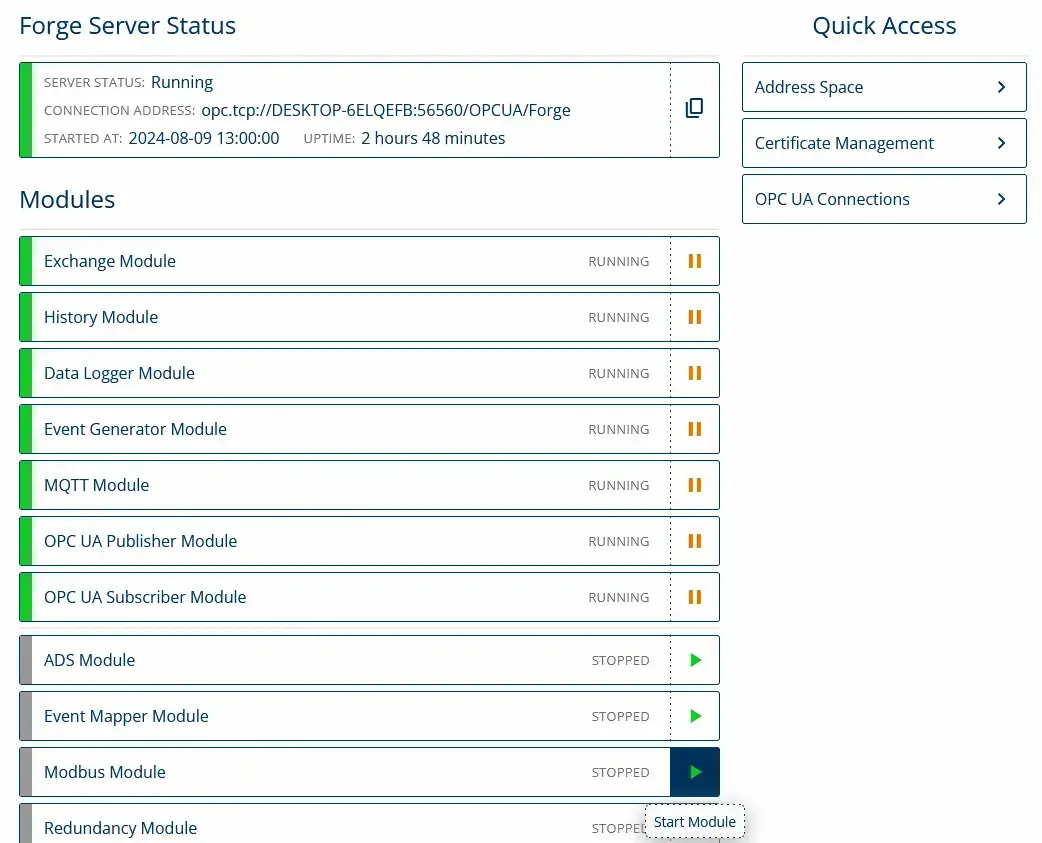
1. Start the Modbus module.

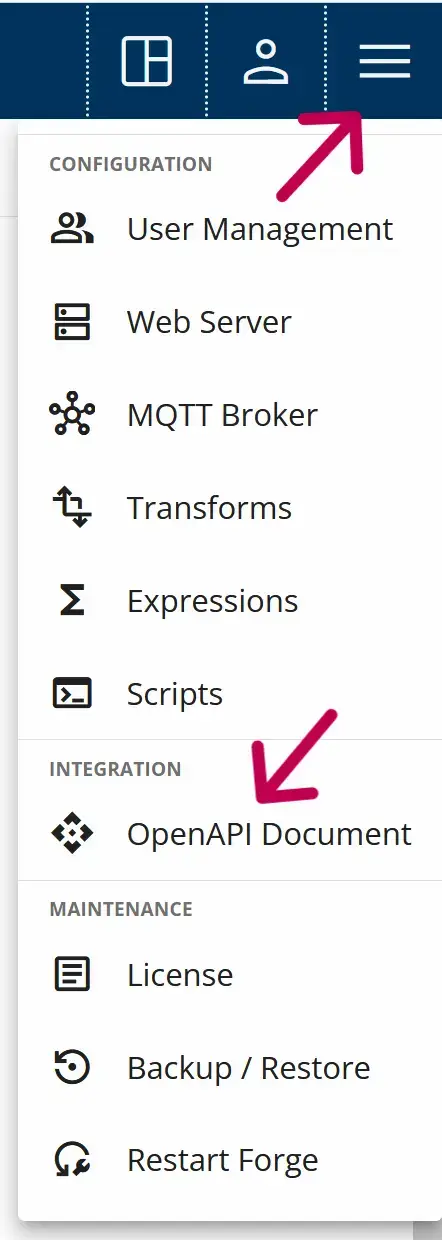
2. Open SwaggerUI from the Advanced Menu – OpenAPI Document.

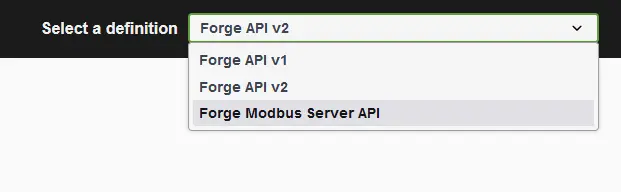
3. Switch to the Forge Modbus Server API.

Changing API in SwaggerUI.

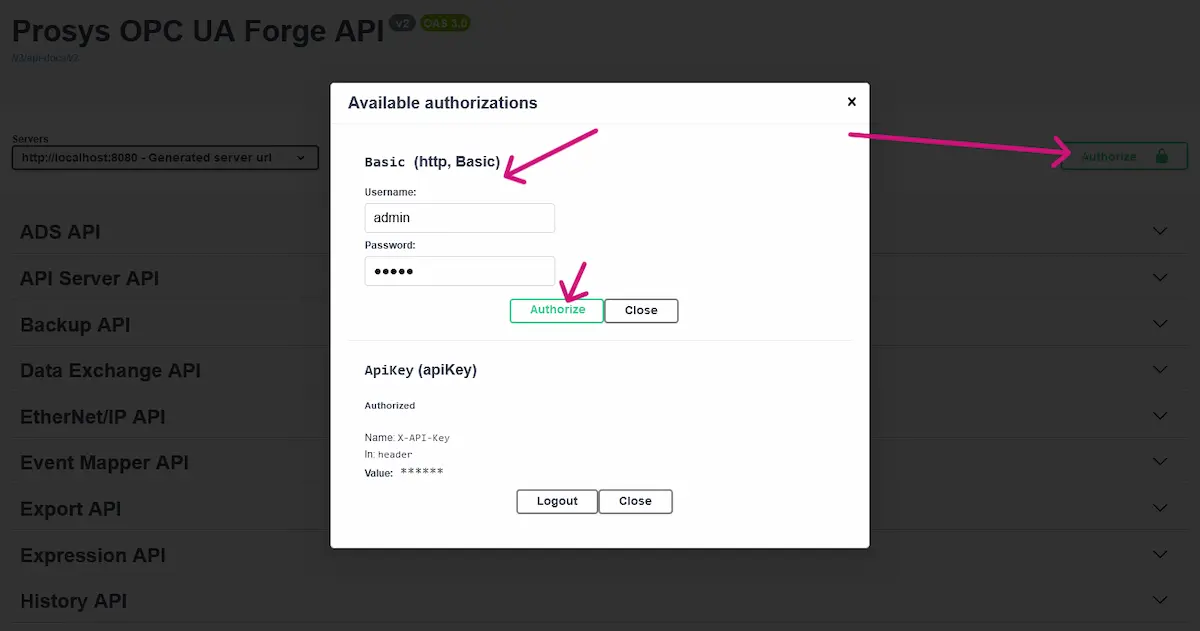
4. Authorize SwaggerUI with Forge’s user credentials.

Authorize swaggerUI with user credentials.

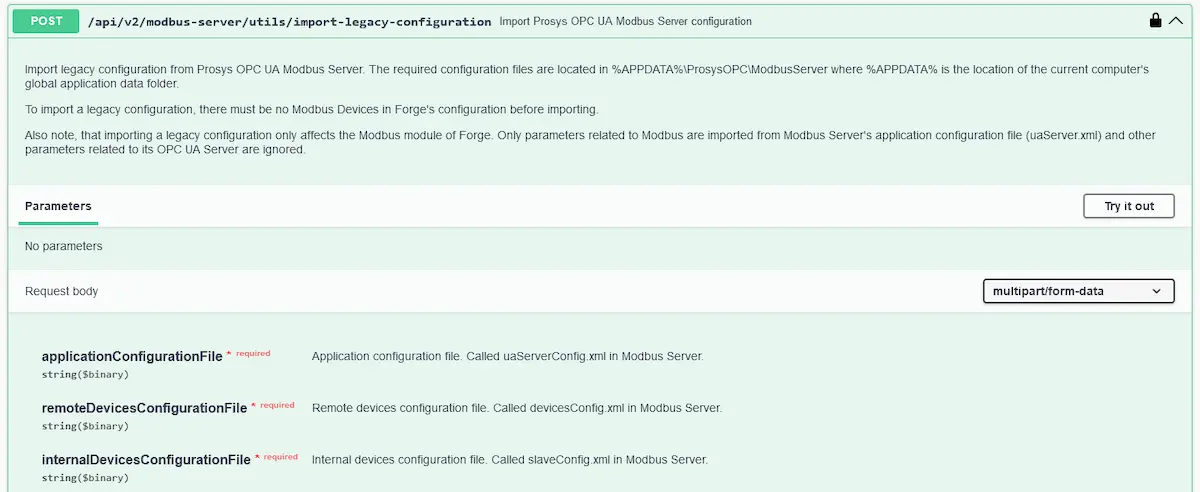
5. Locate the following POST method in the Modbus Server API:

/api/v2/modbus-server/utils/import-legacy-configuration

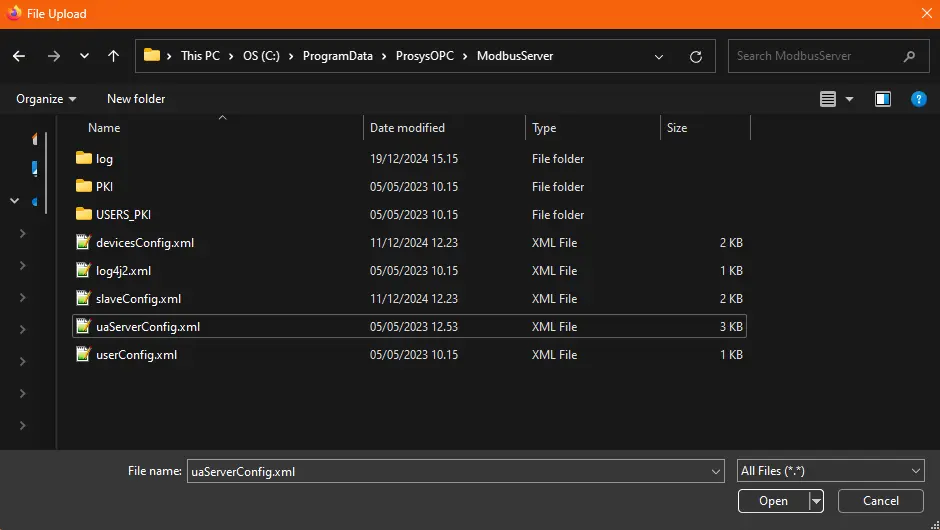
6. Follow the method’s instructions and upload the necessary configuration files. If you need help with Swagger, refer to the Mastering Forge #13 tutorial. 

Modbusserver legacy configuration files in Windows file system.

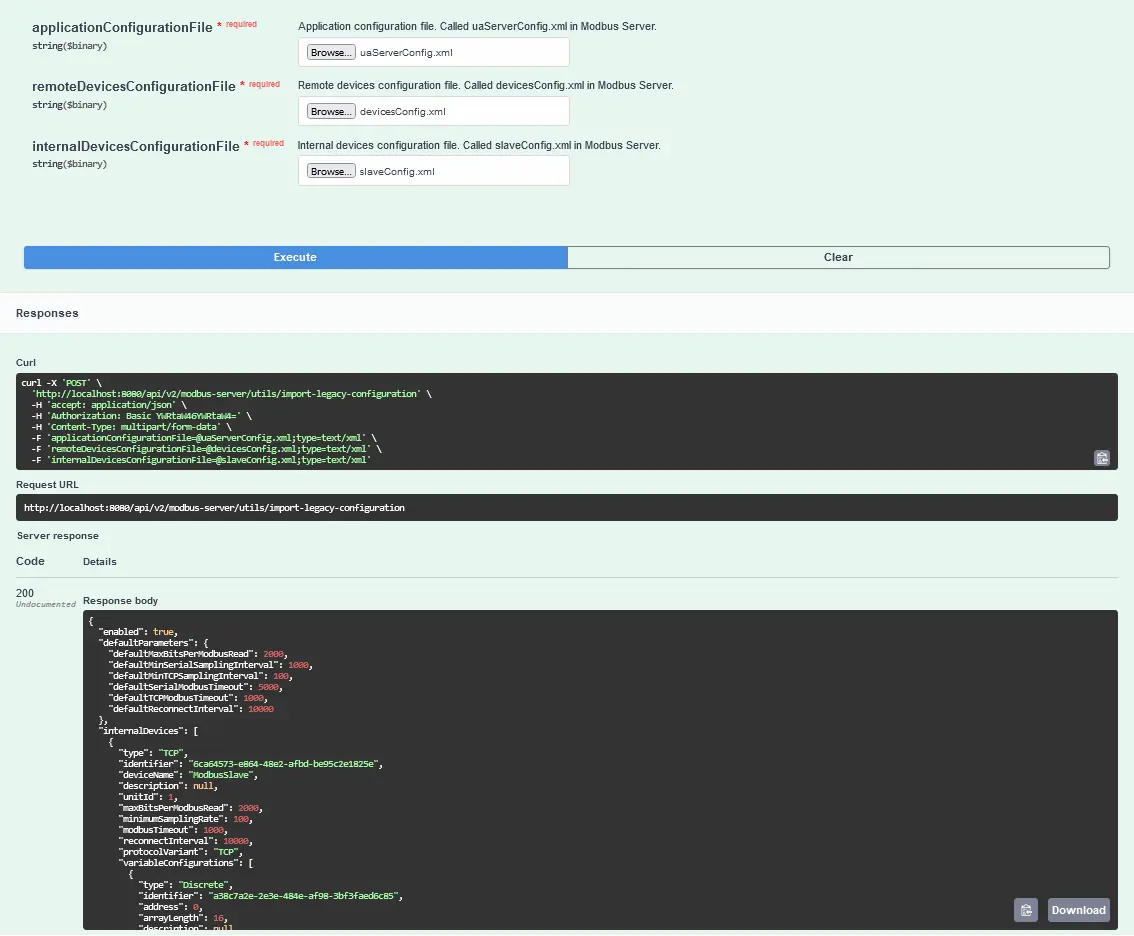
7. Code 200 indicates a successful method execution.

POST method called.

8. Once completed, navigate to the Modbus module in Forge to review the imported configuration.

Prosys OPC UA Modbus Server's legacy configurations imported successfully into Forge.

Next Steps

This wraps up the tutorial. In this tutorial, we imported the legacy Prosys OPC UA Modbus server’s configurations into Forge. 

See the Mastering Forge tutorial series for more information on Forge.

To learn more about Forge and its capabilities, you can request a detailed introduction by emailing sales@prosysopc.com or using our contact form. We’d be delighted to provide tailored information about Forge that aligns with your interests and requirements.

A headshot of Iivo Yrjölä

Iivo Yrjölä

Customer Integration & Support, Prosys OPC

Email: iivo.yrjola@prosysopc.com

Related Posts

Enabling Advanced OPC UA Diagnostics for Railway Signaling with Prosys Forge

Mipro worked with Prosys OPC to enable advanced OPC UA diagnostics for Finland’s first commercial digital railway project. Using Prosys Forge, Mipro extended the capabilities of safety PLCs to meet EULYNX SDI requirements, providing features such as OPC UA Reverse Connect, standardized information models, event-based communication, and automated data mapping. The solution improved interoperability, reduced integration complexity, and enabled reliable collection and transmission of railway diagnostic data, supporting safer and more efficient railway operations.

Read More »

i3X — A Promising Step Toward Easier Industrial Data Access

CESMII’s i3X initiative aims to make industrial data easier to consume by IT systems while preserving context and semantics. In this article, we examine how i3X compares with OPC UA, where it fits in industrial architectures, and why information models remain the key to successful Industrial DataOps.

Read More »